Nulldot
 RSS Feed
CloudReady Runs Chrome OS on Regular Computers
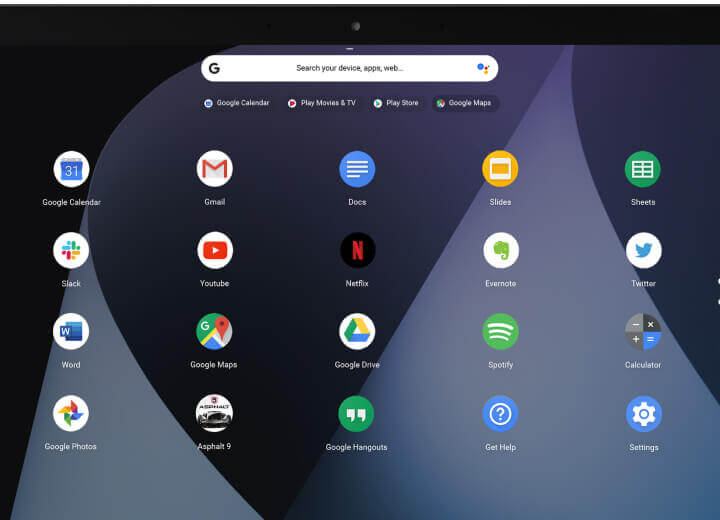
My wife's Acer Aspire One Cloudbook 14 Laptop is now over two years old. While it is still functional, the hardware is struggling to run Ubuntu 16, and I don't have much hope that Ubuntu 18 will be any faster. We considered buying a new laptop, however, she didn't think the expense was worth it as she doesn't use her laptop very often these days. She tends to favor her tablet, which handles most of her computing needs, however, she still uses her laptop when a keyboard or bigger screen is nice to have.
With the decision made to keep using her existing laptop, I was planning to just install Manjaro over her current Ubuntu install, as Manjaro is currently my preferred OS. I was thinking that I could make it feel snappier by using a faster Window Manager / Desktop Environment like Xfce.
After thinking on this for a bit and knowing her minimal use cases for the device (mainly just Google Docs), I thought Chrome OS might be a nice solution for her. Some benefits that make is desirable are:
- It automatically stays updated with the latest updates and security patches. (This is a good one as I was always falling behind with keeping her Ubuntu install updated.)
- It is pretty snappy to use on minimal hardware.
- It gives her the functionality she needs and nothing she doesn't need.
Wondering if I even could install Chrome OS on her laptop led me to this article by Chris Hoffman which describes how to do this very thing using Neverware's CloudReady software. So I followed the instructions, created a bootable USB installer and (after backing up her files) installed CloudReady on her laptop. Even though that specific laptop model is not listed on their supported devices page, it worked!
She has been using it for over a month now with no issues. She was able to get used to the new interface very quickly, and after updating a couple settings, like setting up the printer, she hasn't needed any more help with using it. She also finds it more responsive to use than the former Ubuntu 16 setup.
I'm really happy with this outcome and glad that Neverware provides this OS free for personal use. While I will always recommend Linux for most tech savvy users, in the case of someone like my wife who doesn't want to do very much with their computer and really just "wants it to work" and stay updated, I think Chrome OS is a fine solution.
While this isn’t the official version of Chrome OS produced by Google, it’s better and more well-supported than previous solutions created by enthusiasts.
– Chris Hoffman
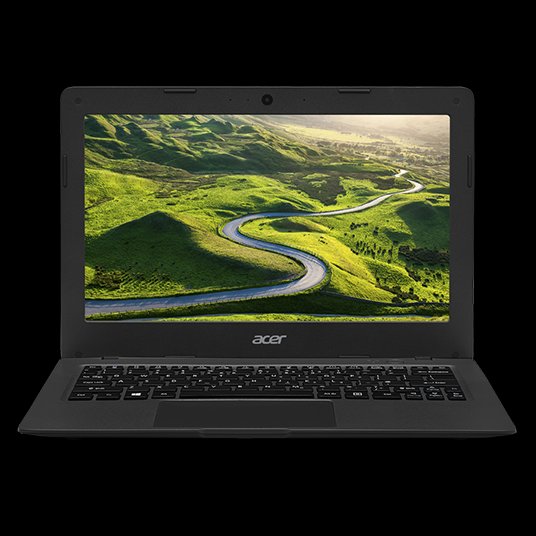
Acer Aspire One Cloudbook 14 Laptop
My wife's old Dell XPS 15 was dying a slow death, and making a lot of fan noise while it did so. After taking the laptop apart and cleaning the fan with no change, I finally decided it was time for a new laptop.
It seems that over time all laptops eventually start making noise – either from a fan or the hard drive. With the advent of SSD's (solid sate drives), the hard drive is no longer a concern, but fan noise is still a ticking time-bomb in my experience. So this time I decided to get her one with no moving parts.
The other common issue I've had with laptops, is having the battery life go to hell pretty quickly. I think this is exasperated due to the practice of leaving most laptops in my house (I have a few) plugged in for long periods of time so the battery does not go through frequent drain/charge cycles. Having a longer batter life will help this as my wife will be more likely to leave it unplugged more frequently.
And my final criteria is that the laptop must run well with Ubuntu. I've had my wife using Ubuntu for many years now and have no reason or desire to move her back to Windows.
After doing some internet searches and reading some reviews I found the Acer Aspire One Cloudbook 14 Laptop. And while it was a minimal laptop to be sure (only 2GB RAM and 32GB eMMC drive), it was good enough for my wife's needs. The main selling points of having no moving parts, a 12 hour battery life (that really is about 12 hours), and a price tag of about $120 on sale, made it an easy choice for me.
I liked it so much that I bought one for myself to use for long flights and any time I need to go long periods w/o a power supply. It really just has barely enough RAM to run one or two apps at once, but it's good enough for running Emacs and a browser which is what I spend most of my time using.
To install Ubuntu I followed Nicolas Bernaerts' excellent instructions. And while a 32GB drive is enough for my wife, I wanted a larger drive, so I bought a 128GB USB drive and followed these instructions on mounting it as my home drive. It just stays plugged in all the time. I probably could have just put the entire installation on it and booted from the USB. Maybe I'll try that at a later date as then my setup becomes a lot more portable if my laptop should die on me.
My only complaint about the laptop is with its keyboard. It is very stiff and I find it difficult to consistently have key presses register. I'm hoping this will ease up over time. Also, I would be happier with 4GB of RAM as the swap partition gets used a lot.
People think computers will keep them from making mistakes. They're wrong. With computers you make mistakes faster.
– Adam Osborne
Jeremy Reimer's "A History of the Amiga" Series
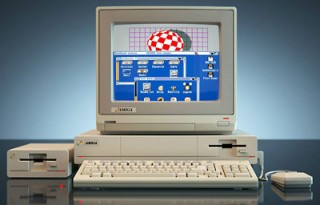
I've been reading Jeremy Reimer's series on the history of the Amiga, published on Ars Technica. I highly recommend it to anyone that owned an Amiga or was into computers during the Amiga, Mac, DOS/Windows days. It's the computer that should have taken over the world as its technology was five, or even ten, years more advanced than the competition – no joke. With all of that potential, many like me probably wondered how Commodore could have messed it up so badly. Jeremy goes into all of the details of the historical time-line.
Although I got my start on the Commodore 64, my Amiga 1000 (followed by the 3000) was the computer I used during my college years while I was majoring in Computer Science. I was probably the only one in my class using an Amiga too. Their loss!
We worked with a great passion… my most cherished memory is how much we cared about what we were doing. We had something to prove… a real love for it. We created our own sense of family out there.
-— RJ Mical [while engineering the Amiga 1000]
How to Root a Samsung Fascinate Android Phone with Ubuntu Linux

These are the steps I took to root my Samsung Fascinate. Rooting gives the following abilities and more:
- Install custom ROMs with ROM Manager (I have not tried this yet)
- Backup your phone with Titanium Backup
- Block unwanted calls and messages with Mr. Number Call Block
- Give other applications root access if needed
- Have total control of your phone
- Remove Bing and replace it with Google
This article assumes you have already installed the Android SDK. I also assume that you have the platform-tools directory as part of your path. If not, you will need to specify the full path whenever you see the adb command used, like ~/android-sdk/platform-tools/adb.
The first step is to get your computer to recognize the phone. I followed the instructions on the Android developer site that explain how to do it. I'll summarize the steps for Ubuntu.
First make sure your phone is setup for development by performing the following steps:
- From the Home screen, press the Menu button, then Settings
- Select Applications
- Make sure 'Unknown sources' is checked
- Select Development
- Make sure 'USB debugging' and 'Allow mock locations' are checked
Connect your phone to the computer using the USB cable that came with the phone. Now your phone should appear in the list of usb devices:
lsusb
...
Bus 002 Device 006: ID 04e8:681c Samsung Electronics Co., Ltd Galaxy Portal/Spica Android Phone
...
As root, edit /etc/udev/rules.d/51-android.rules so it looks like:
SUBSYSTEM=="usb", SYSFS{idVendor}=="04e8", MODE="0666"
Replace "04e8" with the vendor id found in your lsusb output from the previous step (it's the first four characters after ID).
Now set the permissions on the file and restart udev to enable it.
sudo chmod a+r /etc/udev/rules.d/51-android.rules
sudo /etc/init.d/udev restart
Now run the adb command and check for devices:
adb devices
List of devices attached
I500cf846986    device
You should see your device listed. If you do not try restarting adb with:
sudo adb kill-server
sudo adb start-server
Assuming you have made it this far and adb can see your device, we can continue with the rooting process. The following instructions were taken from this Newbie Guide to Rooting the Fascinate.
Download and unzip root.zip into a new directory. You should have the following files:
busybox
rageagainstthecage-arm5.bin
su
Superuser.apk
Push the rageagainstthecage-arm5.bin file over to the phone:
adb push rageagainstthecage-arm5.bin /data/local/tmp/rageagainstthecage-arm5.bin
Shell into the phone and setup the next step:
adb shell
cd /data/local/tmp
chmod 0755 rageagainstthecage-arm5.bin
After the next step there will be a pause (for a few seconds) then you will be returned to the shell prompt. Then wait another 20 seconds or longer and you should be kicked out of the adb shell. If your phone locks up, nothing bad should happen, just try forcing a reboot by pressing and holding the power button, or removing the battery for a few seconds.
./rageagainstthecage-arm5.bin
You should see the following then the command prompt again.
[*] CVE-2010-EASY Android local root exploit (C) 2010 by 743C

[*] checking NPROC limit ...
[+] RLIMIT_NPROC={3712, 3712}
[*] Searching for adb ...
[+] Found adb as PID 2200
[*] Spawning children. Dont type anything and wait for reset!
[*]
[*] If you like what we are doing you can send us PayPal money to
[*] 7-4-3-C@web.de so we can compensate time, effort and HW costs.
[*] If you are a company and feel like you profit from our work,
[*] we also accept donations > 1000 USD!
[*]
[*] adb connection will be reset. restart adb server on desktop and re-login.
After waiting until you are kicked out of the shell, restart the adb server and re-login:
sudo adb kill-server
sudo adb start-server
adb shell
You should now be at a root (pound symbol) prompt. Exit the shell:
exit
Now to make the root permanent do the following:
adb push su /data/local/tmp/su
adb push busybox /data/local/tmp/busybox
adb shell
mount -t rfs -o remount,rw /dev/block/stl9 /system
cat /data/local/tmp/su > /system/xbin/su
cat /data/local/tmp/busybox > /system/xbin/busybox
chmod 4755 /system/xbin/su
chmod 4755 /system/xbin/busybox
exit
Install the Android application that controls root access:
adb install Superuser.apk
After it installs you will see Success on your screen and the connection will hang. Press Ctrl-C and reboot your phone. You should now have permanent root.
The Library of Congress has specifically exempted rooting from the DMCA (Digital Millennium Copyright Act)… This means that it is now 100 percent legal to root your Android phone (or jailbreak your iPhone) whenever you want without fear of legal action taken against you.
– David Wasserman, Android Phone Geek, "Rooting Your Phone Now 100% Legal", 2010-07-26
How to Install Android on Ubuntu Linux

Once again I've decided that I want to take a look at programming for the Android platform. One of the first things to do is to get an Android emulator and a programming environment setup. After searching around a few different sites to get the instructions I've compiled the steps to get an emulator working under Ubuntu Linux here.
Android SDK Manager
I followed the steps on the android site. Using the command line in Ubuntu, here are the steps to follow:
Install OpenJDK:
sudo apt-get install openjdk-6-jre
If you are running a 64-bit OS, then install the needed 32-bit libs:
sudo apt-get install ia32-libs
Download the latest SDK from the Android site (which, as I write this, is android-sdk_r07-linux_x86.tgz).
Uncompress the tarball into your home directory and rename it:
tar xfvz android-sdk_r07-linux_x86.tgz
mv android-sdk-linux_x86 android-sdk
Here are all of the above steps combined:
sudo apt-get -y install openjdk-6-jre
uname -m | grep -q "\(x86_64\|ia64\)" && sudo apt-get -y install ia32-libs
cd
wget http://dl.google.com/android/android-sdk_r07-linux_x86.tgz
tar xfvz android-sdk_r07-linux_x86.tgz
[ -e android-sdk ] && mv android-sdk android-sdk.$(date +%y%m%d)
mv android-sdk-linux_x86 android-sdk
Optionally you may add the Android tools directories to your PATH by adding the following to your .bashrc file:
export PATH=${}:${}/android-sdk/tools:${}/android-sdk/platform-tools
Now run the Android SDK and AVD Manager via:
~/android-sdk/tools/android
Or, if you are running GNOME, make a custom application launcher, by either right-clicking a panel and selecting Add to panel… then adding a Custom Application Launcher, or by right-clicking the Main Menu and selecting Edit Menus then select Programming then New Item. The custom application launcher should have the following properties (substitute your $HOME directory for /home/USERNAME):
- Type: Application
- Name: Android SDK Manager
- Command: /home/USERNAME/android-sdk/tools/android
- Icon: gnome-robots.png
Now configure the Android Manager:
- Click on Settings, then check Force
https://… sources to be fetched usinghttp://… - Click on Installed Packages, then Update All…, then Accept All followed by Install on the window that comes up; it will take a while to download and install everything; when it finishes, close the window (and the application if prompted to do so)
- Redo the above step until no more updates can be performed
- Click on Virtual Devices, then New…, give it a Name and select a version of Android for Target, then optionally add an SD Card and Hardware as desired, finally click Create AVD
You can now run this virtual android image by clicking the Start… button. Or from the command line (replacing NAME with the name of the virtual you created):
~/android-sdk/tools/emulator @NAME
You can also create a custom application launcher with that command.
The next time you want to make sure your android installation is updated you can run:
~/android-sdk/tools/android update sdk
#+BEGIN_COMMENT
Android on VirtualBox
I followed the steps this article. Using the command line in Ubuntu, here are the steps to follow:
First, if you do not already have VirtualBox installed, you can install the open source edition with the following command:
sudo apt-get install virtualbox-ose
Now, under your Accessories menu you should see the VirtualBox OSE launcher.
#+END_COMMENT
Eclipse IDE
Even though I prefer to code in Emacs whenever possible, the recommended method of programming for the Android platform is with the Eclipse IDE. So, I'm starting with that at least until I get more used to Android programming.
At first I tried to install Eclipse with apt-get like so:
sudo apt-get install eclipse
However, I could not get the Android Development Tools to install with that version of Eclipse (Galileo v3.5.2). So, like many others have, I decided to use the latest version from their web site. I downloaded the 64-bit Eclipse Classic (Helios v3.6.1) tarball from their download page. You should download the correct version for your architecture and uncompress it in your home directory.
tar zxvf eclipse-SDK-3.6.1-linux-gtk-x86_64.tar.gz
You might want to create a custom application launcher for it with these settings:
- Type: Application
- Name: Eclipse
- Command: /home/USERNAME/eclipse/eclipse
- Icon: /home/USERNAME/eclipse/icon.xpm
Now launch Eclipse. Then select Install New Software from the Help menu and add the following sites:
- Google Eclipse Plugin: http://dl.google.com/eclipse/plugin/3.5
- Android Development Tools: https://dl-ssl.google.com/android/eclipse/
Install everything from each of them in the above order.
After that finishes, select Preferences from the Window menu. Select Android on the left and set the SDK Location to /home/USERNAME/android-sdk or wherever you installed the Android SDK. When you apply it you should see a list of Android target versions. OK the change.
Now when you create a new project, you can pick Android as a type.
James DeBragga [Windows Consumer Product Manager]: Android is "free like a puppy".
spark: "Free like a puppy" is certainly much, much better than an atrociously priced and uncontrollably incontinent, rabies-infected mad hound.
10 Specific Ways to Improve Your Productivity With Emacs

I was re-reading an old post by Steve Yegge about productivity tips for using Emacs, and I wanted to comment on a few of them, but I was not able to find a way to leave a comment or email him. That combined with the fact that I haven't done a blog entry in over a year, I thought I should blog my comments here.
If you use Emacs (and you should), you owe it to yourself to read his post. He does a very good job explaining why Emacs is better at certain [most] tasks and how to configure it for an even better experience.
10 Specific Ways to Improve Your Productivity With Emacs
As I read this I realized that I had incorporated a lot of his recommendations already. Some I had not implemented, others I had tried and reversed (as noted in my comments inside my dot-emacs files). I've listed his sections that I have comments about.
- Item 1: Swap Caps-Lock and Control
This time I am going to try to stick with using Caps_Lock as Control. Since I mostly use Ubuntu Linux setting up my .xmodmap files was pretty simple to do. I will be sure to try his regedit trick on Windows when I get a chance.
- Item 2: Invoke M-x without the Alt key
I had this switched off because I was using the C-xC-m key for starting Mingus, but I'm going to try the keybindings he recommends.
- Item 3: Prefer backward-kill-word over Backspace
I find it hard to switch finger-memory modes when switching between Emacs' cut/copy/paste bindings and the standard CTRL-X/C/V ones that so many other applications use. Because of this, I use cua-mode. It allows me to keep the Emacs functionality of those keys while still being able to use them as needed. Having said this, I still want the original Emacs cut binding C-w to work as expected.
Since the kill-region command should only be called when a region has been selected, I wrote some code to solve this issue for me. Using the following code will do-the-right-thing when you press C-w:
(defun kill-region-or-word ()
  "Call `kill-region' or `backward-kill-word' depending on
whether or not a region is selected."
  (interactive)
  (if (and transient-mark-mode mark-active)
      (kill-region (point) (mark))
    (backward-kill-word 1)))
(global-set-key "\C-w" 'kill-region-or-word)
- Dialog Boxes: The Root of All Evil
Just had to say that I completely agree.
- Item 7: Lose the UI
Being nitpicky here but when should be used instead of if in the following code:
(if (fboundp 'scroll-bar-mode) (scroll-bar-mode -1))
(if (fboundp 'tool-bar-mode) (tool-bar-mode -1))
(if (fboundp 'menu-bar-mode) (menu-bar-mode -1))
Like so:
(when (fboundp 'scroll-bar-mode) (scroll-bar-mode -1))
(when (fboundp 'tool-bar-mode) (tool-bar-mode -1))
(when (fboundp 'menu-bar-mode) (menu-bar-mode -1))
- Keyboard Macros
As mentioned in the comments section, after you've created a keyboard macro with C-x( and finished it with C-x), and then used it once via C-xe, you can then repeat it by just pressing e.
That's about it for my comments. I hope Steve writes more articles on this topic and finishes his remaining 40 tips.
For more interesting Emacs sites see my previous blog entry about this topic.
If you don't use emacs, you're a pathetic, mewling, masochistic weakling and I can't be bothered to convert you.
-— Ron Echeverri
Rules for Writing Cross Platform Code

After reading this interesting blog about creating petabyte size storage servers I found this entry about rules to follow when writing cross platform code by Brian Wilson to be a good read for anyone doing cross platform coding in C/C++ (or any language for that matter).
The author works for Back Blaze which seems like a nice inexpensive backup service. I will probably subscribe to their services once they have a Linux client. It is a little hard to ignore the irony of the cross platform article when the Linux client is still missing, however, anyone that has worked for a software corporation knows there are often many other non-technical reasons for their product release decisions.
There are 10 types of people in the world: Those who understand ternary, those that don't, and those that confuse it with binary.
Apache 2 Web Server Configuration

I finally got my site backup up and working on a new server. A very quiet Dell Studio Slim 540s, running Ubuntu 8.10 and apache 2. I had been running apache (1) on an old hand built Celeron 500MHz server that made a lot of noise and had some hard drives dying. It was long over due for an upgrade.
Installing Ubuntu 8.10 was easy enough as was moving subversion over (it was the first thing I did). All I needed to do for subversion was to rsync the directory over along with all of the other files I was copying, and start the service. Once I had my ssh keys setup, subversion worked just like it did on the old server.
Getting apache to work correctly, however, was not nearly as easy. The server itself worked fine out of the box, but I have a lot of domain names that I proxy with apache and it took me a while to figure out how to set those up correctly. After looking at far too many examples online I finally got it working. The following are the steps I took, and hopefully this will save someone else the time it took me to figure it out. Note that all of these commands need to be run as root or via sudo.
First I added some needed modules:
a2enmod proxy proxy_connect proxy_http proxy_ftp userdir
Then setup the proxy configuration by editing /etc/apache2/mods-available/proxy.conf:
<IfModule mod_proxy.c>
    ProxyRequests Off

    <Proxy *>
        AddDefaultCharset off
        Order deny,allow
        Deny from all
        Allow from all
    </Proxy>

    ProxyVia On
</IfModule>
I did not need to make any changes to the default userdir.conf.
Now create a site file for every site you run. Here is mine for nulldot as an example:
Edit /etc/apache2/sites-enabled/nulldot:
<VirtualHost *:80>
    ServerName nulldot.net
    ServerAlias nulldot.net *.nulldot.net

    ProxyPass / http://localhost/~kyle/blog/
    ProxyPassReverse / http://localhost/~kyle/blog/
</VirtualHost>
Obviously, replace nulldot.net with your domain name and point the ProxyPass and ProxyPassReverse lines to your target directory.
Then enable the site with:
a2ensite nulldot
Now restart apache2 and hopefully everything works:
/etc/init.d/apache2 restart
Getting information off the Internet is like taking a drink from a fire hydrant.
– Mitchell Kapor
Negroponte Unveils an OLPC Laptop E-Book
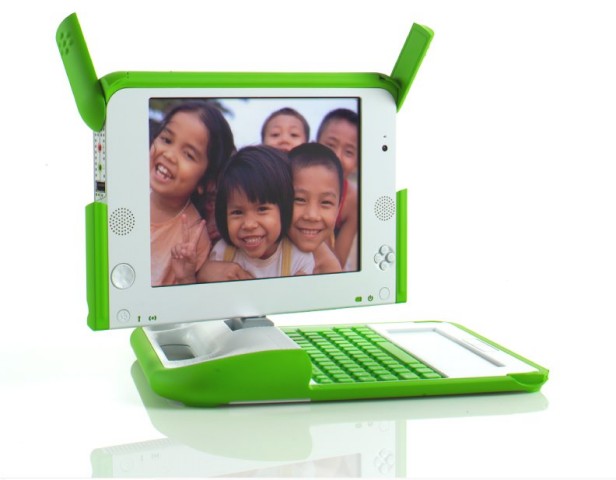
Negroponte of OLPC fame, unveils the 2nd Generation OLPC Laptop, which is an E-Book. I'm not sure I'll get one (or even if I'll be allowed to buy one [1]), but I like the idea. I'm still quite happy using my Gemstar (RCA) REB 1100 for all of my e-book needs.
While I like what the OLPC organization has done and continues to accomplish, there are a couple sticking points for me. First, their laptop is very under powered by today's standards. Although that is probably fine for their intended audience, it does make me not want to own one myself. Plus if you use it as intended, you're using their SUGAR interface which is new and limited – in the sense that you can only run applications specifically designed to run under SUGAR.
Some great things have come out of the OLPC project. They were very innovative with the display technology, which requires a lot less energy to power than normal laptop screens. Also, their mesh network concept seems like a good idea.
On a bad note, they've recently decided to support Windows on the OLPC devices, which I think is a very bad idea. A main point of the OLPC project was to foster openness and freedom, two ideals that Windows does not support – at least from a technical perspective.
On the e-book topic, researchers at Maryland and Berkeley Universities have created an interesting e-book reader that lets you flip the pages. That's a feature I don't think I need or want, but it's interesting.
[1] The original OLPC laptop cannot be bought directly. You may buy them for children in other countries, or donate to the project only.
Dew knot trussed yore spell chequer two fined awl mistakes.
Purity Comic

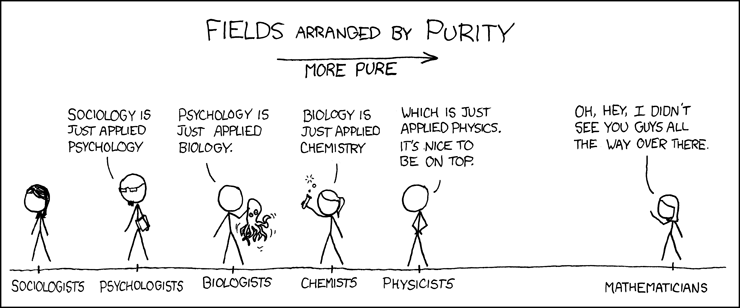
Another great entry from xkcd. I remember a real version of this science scale presented to me in college, but the professor labeled the sciences on the left as weak sciences and the ones on the right as strong sciences. It seems that Engineering and Computer Science have been left off – on purpose I suppose, since they would be pretty close to Mathematics and thus ruin the joke.
Change is the essential process of all existence.
– Spock, "Let That Be Your Last Battlefield", stardate 5730.2